


Protecting Sensitive Equipment: How UPS Technology Prevents Downtime and Safeguards Critical Operations
Power outages and electrical problems can shut down your operations in seconds. When your equipment loses power unexpectedly, you risk data loss, hardware damage, and costly delays. A UPS system delivers immediate backup power and voltage protection to keep your sensitive equipment running without interruption.

Modern businesses depend on stable electricity for everything from computers and servers to medical devices and manufacturing equipment. Even a brief power failure can cause serious problems. Small voltage changes and power surges can damage delicate electronics over time.
This article explains how UPS technology works to protect your equipment and prevent downtime. You’ll learn about different types of UPS systems, how they respond to power problems, and what to look for when choosing the right protection for your needs.
Why UPS Technology Is Critical for Preventing Downtime

Power interruptions threaten expensive equipment and halt business operations within seconds. An uninterruptible power supply protects against these risks whilst maintaining data integrity and ensuring your operations continue without pause.
The Risks of Power Interruptions for Sensitive Equipment
Your sensitive electronic equipment faces serious threats from power quality issues. Voltage surges, sags, and spikes can damage internal components instantly. These power anomalies destroy circuit boards, corrupt memory, and reduce the lifespan of your hardware.
A single power interruption can cost you thousands of pounds in equipment replacement. Your servers, networking gear, and storage systems are particularly vulnerable to sudden power loss. Without protection, these devices experience hard shutdowns that damage file systems and corrupt active processes.
Power fluctuations also affect equipment performance before causing complete failure. Your systems may experience random crashes, data errors, and unexplained behaviour. These issues often stem from unstable electrical supply that stresses components over time.
The Role of UPS Systems in Business Continuity
Your UPS system serves as your first defence against power disruptions. When mains power fails, backup power activates within milliseconds to keep your critical systems running. This instant response prevents interruptions to your operations.
Business continuity depends on maintaining power to essential equipment. Healthcare facilities need constant power for life-saving devices. Financial institutions cannot afford transaction failures during power events. Data centres must keep servers running without interruption.
A UPS system gives you time to respond appropriately during outages. You can save open files, complete critical transactions, and shut down systems properly. This controlled approach prevents data loss and equipment damage that emergency shutdowns cause.
How UPS Ensures Data Integrity During Power Events
Your data faces corruption risks during unexpected power loss. Active database transactions, file writes, and system processes fail when power cuts off suddenly. A UPS system prevents these failures by maintaining power continuity throughout the event.
Data integrity requires proper shutdown procedures. Your UPS provides enough runtime to close applications safely, flush memory to disk, and complete pending operations. This protection ensures your databases remain consistent and your files stay intact.
The technology also shields against power quality issues that corrupt data silently. Voltage regulation within your uninterruptible power supply filters out electrical noise and stabilises power delivery. Your storage systems and memory receive clean, consistent power that prevents bit errors and data corruption.
Types of UPS Systems and Their Protective Functions
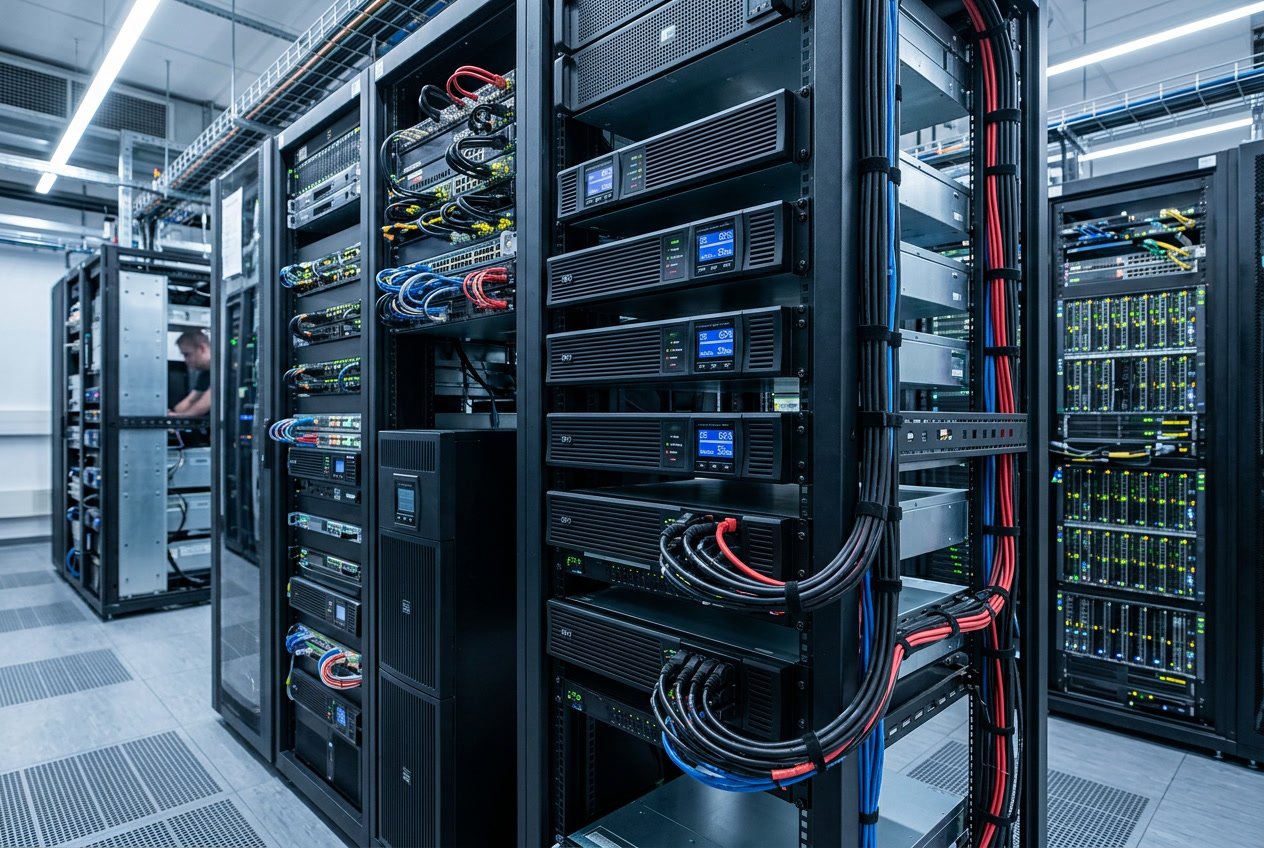
UPS technology comes in three main configurations, each offering different levels of protection for your equipment. Standby systems handle basic power outages, line-interactive models manage voltage variations, and online systems deliver continuous clean power with instant protection.
Standby UPS: Basic Protection Applications
A standby UPS provides essential backup power during outages but remains inactive until needed. Your equipment runs on mains power under normal conditions, and the system only switches to battery power when it detects a failure.
This switching process takes 5 to 10 milliseconds. Most computers and basic electronics can handle this brief interruption without issues.
Best suited for:
- Desktop computers
- Home office equipment
- Small workstations
- Budget-conscious applications
The standby UPS offers limited protection against voltage fluctuations and power surges. It works well for non-critical equipment that can tolerate short transfer times. You’ll find this type in homes and small offices where complete power conditioning isn’t necessary.
Line-Interactive UPS: Addressing Voltage Fluctuations
Line-interactive systems actively regulate voltage without switching to battery power. Your equipment receives constant protection through an automatic voltage regulator (AVR) that adjusts power levels as they fluctuate.
This technology handles brownouts and overvoltage conditions whilst keeping the battery charged. The AVR corrects voltage variations between 15% to 20% above or below normal levels.
Key advantages include:
- Extended battery life through reduced cycling
- Protection during voltage sags and swells
- Transfer times of 2 to 4 milliseconds
- Better efficiency than standby models
You’ll benefit from line-interactive UPS systems if your location experiences frequent voltage issues. These units protect network equipment, point-of-sale systems, and mid-range servers effectively.
Online UPS: Zero Transfer Time and Clean Power
An online UPS continuously converts incoming AC power to DC, then back to AC, creating perfectly clean power. Your equipment never runs directly on mains power, eliminating any transfer time during outages.
This double-conversion process removes all power anomalies. You get complete isolation from surges, spikes, noise, and harmonic distortion.
Critical features:
- Zero transfer time to battery power
- Consistent voltage and frequency output
- Protection against all power problems
- 95% to 99% uptime for connected equipment
Online systems generate more heat and cost more to operate than other types. However, they’re essential for sensitive medical equipment, data centres, industrial controls, and mission-critical servers. Your equipment receives hospital-grade power quality regardless of mains condition.
The continuous operation means batteries charge and discharge regularly, requiring replacement every 3 to 5 years.
Understanding Power Disturbances and UPS Safeguards
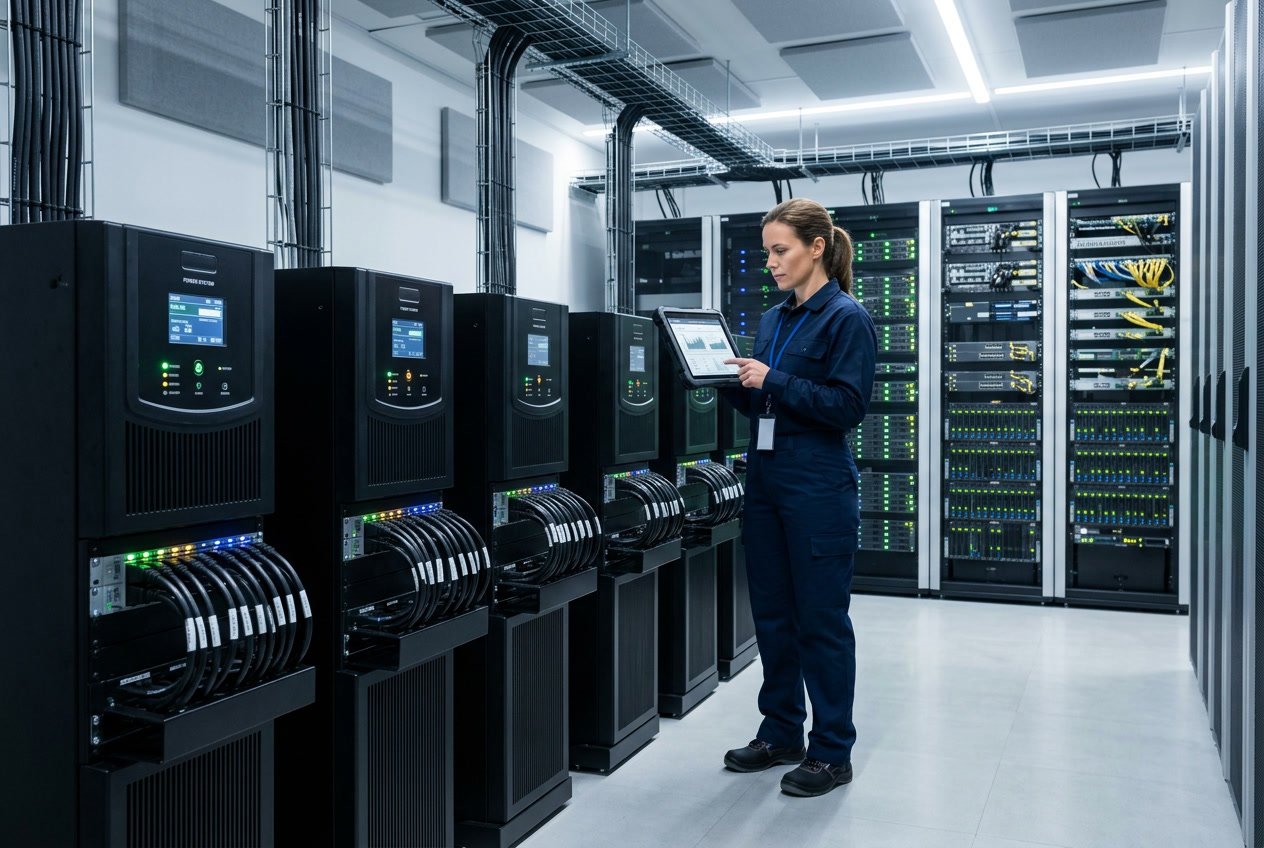
Power disturbances take many forms, from sudden surges to complete blackouts, and each type threatens your equipment in different ways. UPS systems protect against these issues through voltage regulation, surge protection, and instant battery backup.
Common Power Disturbances: Surges, Brownouts, and Blackouts
Power surges occur when voltage suddenly increases above normal levels, often caused by lightning strikes or when large appliances switch off. These spikes can damage or destroy sensitive components in your equipment within milliseconds.
Brownouts are voltage dips where the power level drops below normal but doesn’t cut out completely. Your lights might dim and equipment might struggle to function properly. These events strain your devices and can cause them to overheat or malfunction.
Blackouts are complete power cuts where electricity stops flowing entirely. Your equipment shuts down without warning, which can corrupt data and damage hard drives. Power disturbances happen more often than most people realise, with voltage fluctuations occurring multiple times per day in many locations.
How UPS Systems Respond to Voltage Fluctuations
UPS systems constantly monitor incoming power and detect problems in milliseconds. When voltage drops or rises outside safe limits, the UPS switches to battery power or adjusts the voltage automatically.
During brownouts, the UPS boosts the voltage back to normal levels so your equipment receives stable power. When surges occur, it reduces the voltage to prevent damage. This process happens so quickly that your devices never experience an interruption.
The battery backup activates within 2-10 milliseconds during blackouts. Your equipment continues running on clean, stable power whilst the UPS battery supplies electricity. Modern UPS systems can handle hundreds of small voltage adjustments each day without switching to battery mode.
Surge Protection and Voltage Regulation in Practice
Quality UPS systems include multiple layers of surge protection to stop power spikes before they reach your equipment. Metal oxide varistors (MOVs) absorb excess voltage whilst filters remove electrical noise from the power line.
Voltage regulation works through automatic voltage regulation (AVR) technology. The UPS adjusts incoming power to maintain a steady output, typically within ±5% of the target voltage. This protects your equipment from both high and low voltage conditions.
Your sensitive electronics receive consistent power regardless of what’s happening with the mains supply. The UPS handles voltage fluctuations, filters out interference, and provides battery backup all at once.
Core Components of a UPS System: Delivering Instant Backup Power
A UPS system relies on three critical components to maintain power continuity: batteries that provide immediate electricity when mains power fails, automatic transfer switches that detect outages and activate backup power within milliseconds, and generators that extend runtime during prolonged disruptions.
The Importance of Battery Backup and Maintenance
Batteries form the core of any UPS system. They store electrical energy and release it instantly when the mains power supply fails. This instant backup power keeps your equipment running without interruption.
Most UPS systems use sealed lead-acid or lithium-ion batteries. The number of batteries depends on your system’s voltage requirements and how long you need backup power to last. A typical UPS contains at least one battery string, with larger systems using multiple strings for extended runtime.
Battery maintenance is essential for reliable performance. Regular testing ensures batteries hold their charge properly. You should replace batteries every 3-5 years, depending on usage and environmental conditions. High temperatures reduce battery life, so keeping your UPS in a cool environment extends battery longevity.
A battery monitoring system tracks charge levels and health status. This helps you identify failing batteries before they cause problems during an actual power outage.
Automatic Transfer Switches (ATS) and Fast Response Time
An automatic transfer switch (ATS) detects power failures and switches to battery backup without human intervention. The ATS monitors incoming mains power continuously, checking voltage and frequency levels.
When the ATS identifies a power problem, it activates the UPS batteries in milliseconds. This response time is critical for sensitive equipment that cannot tolerate even brief power interruptions. Most quality UPS systems switch to battery power in less than 10 milliseconds.
The ATS also manages the transition back to mains power once utility electricity is restored. It ensures the switch happens smoothly without causing power spikes or surges that could damage your equipment.
Supporting Generators for Extended Power Outages
Generators complement UPS systems during long-term power failures. Whilst batteries provide instant backup power, they typically last only 15-30 minutes. Generators supply electricity for hours or days.
The UPS maintains power whilst the generator starts up and stabilises. Generators need 10-30 seconds to reach operating speed and produce steady voltage. During this critical window, your UPS batteries keep equipment running.
This combination ensures continuous protection. The UPS handles short outages and bridges the gap until generators engage. For facilities requiring uninterrupted operation, this two-layer approach prevents both immediate shutdowns and extended downtime.
You can also use UPS runtime to perform a safe shutdown of non-critical systems, conserving generator fuel for essential equipment. This strategy maximises your backup power resources during emergency situations.
Key Factors in Choosing the Right UPS for Sensitive Equipment
Selecting the correct UPS requires evaluating your equipment’s power demands, the quality of protection needed, and how the system will adapt to future requirements. These factors determine whether your sensitive equipment receives adequate protection during power disturbances.
Assessing Power Capacity and Runtime Requirements
When you choose a UPS, you must calculate the total power capacity your equipment needs. Add up the wattage of all devices you want to protect, then select a UPS rated at least 20-30% higher than this total. This buffer prevents overloading and allows for future additions.
Runtime requirements depend on your specific situation. You need to determine how long your equipment must run during an outage. Basic systems may only need 5-10 minutes to allow proper shutdown. Critical operations might require 30 minutes or more.
Key specifications to review:
- VA rating – measures the apparent power capacity
- Watt rating – indicates actual power delivery
- Battery capacity – determines available runtime
- Number of outlets – limits connected devices
Your power capacity needs will grow as you add equipment. Calculate both current and anticipated future loads before making your selection. Most manufacturers provide runtime charts that show how long their units run at different load levels.
Ensuring Power Quality and Load Management
Power quality protection varies significantly between UPS types. Online UPS systems provide continuous power conditioning by converting incoming AC to DC, then back to clean AC. This double conversion delivers the highest protection level for sensitive equipment.
Line-interactive models regulate voltage through automatic voltage regulation (AVR). They handle most power fluctuations without switching to battery power. Offline models offer basic protection but switch to battery during any power issue.
Your sensitive equipment requires clean, stable power to function properly. Look for UPS systems with:
- Pure sine wave output
- Voltage regulation within ±5%
- Frequency stability
- Surge and spike protection
Load management features help distribute power efficiently across connected devices. Some UPS systems include programmable outlets that shut down non-critical equipment first, extending runtime for essential devices.
Scalability, Monitoring, and Maintenance Considerations
Your UPS should adapt as your needs change. Modular systems allow you to add battery packs or power modules without replacing the entire unit. This scalability reduces long-term costs and minimises disruption.
Modern UPS systems include monitoring software that tracks power conditions, battery health, and load levels. Remote monitoring capabilities alert you to potential issues before they cause problems. You can access this data through network connections or dedicated management cards.
Essential monitoring features:
- Real-time status displays
- Email or SMS alerts
- Historical data logging
- Remote shutdown capabilities
Battery maintenance affects long-term reliability. Most UPS batteries last 3-5 years under normal conditions. Hot-swappable batteries allow replacement without powering down connected equipment. Check the warranty terms and availability of replacement batteries before purchasing.
Service agreements provide professional maintenance and faster response times during failures. Consider whether your operation requires on-site spares or next-day replacement guarantees.
Best Practices for Ensuring Ongoing UPS Protection
Effective UPS monitoring combined with scheduled maintenance ensures continuous power for your critical systems. Different operational environments require tailored protection strategies to maintain power continuity and prevent equipment failure.
Regular UPS Monitoring and Predictive Maintenance
You need to monitor key UPS parameters regularly to catch problems before they cause downtime. Track battery voltage, temperature, load capacity, and runtime to identify potential failures early.
Set up automatic alerts for critical thresholds. When battery voltage drops below normal levels or temperatures rise unexpectedly, you receive immediate notifications. This allows you to address issues during planned maintenance windows rather than during emergencies.
Inspect your UPS system every three to six months. Check battery terminals for corrosion, verify cooling fan operation, and test alarm functions. Replace batteries every three to five years, depending on your operating conditions.
Key monitoring parameters:
- Battery health and charge levels
- Input and output voltage stability
- Operating temperature ranges
- Load percentage and capacity
Keep detailed maintenance logs. Record all inspections, tests, and component replacements. These records help you spot patterns and plan future maintenance more effectively.
Protecting Different Environments: Data Centres, Healthcare, and Manufacturing
Data centres require redundant UPS systems with N+1 configuration to ensure zero downtime. Your backup power must handle 100% of the critical load even when one unit fails.
Healthcare facilities need UPS protection for life-support equipment, imaging systems, and electronic health records. Install medical-grade units that meet stringent safety standards. Test these systems monthly to verify they activate within milliseconds during power loss.
Manufacturing environments face unique challenges from dust, temperature fluctuations, and electrical noise. Choose industrial-rated UPS units with robust enclosures. Position them away from heavy machinery that generates electromagnetic interference.
Each environment demands specific maintenance schedules. Data centres benefit from weekly monitoring, whilst manufacturing facilities require more frequent filter cleaning due to airborne contaminants.
Frequently Asked Questions
UPS systems provide critical protection for electronic equipment through battery backup, voltage regulation, and surge protection capabilities. These devices switch to battery power within milliseconds during outages and require regular maintenance to function properly.
What are the key advantages of using a UPS in safeguarding sensitive electronic devices?
A UPS protects your sensitive equipment by controlling voltage levels and preventing power surges from reaching your devices. This protection stops damage that can occur from unstable electrical supply.
Your equipment receives continuous, clean power even during mains failures, brownouts, or voltage fluctuations. The system instantly switches to battery power when it detects irregular power conditions.
You also gain time to shut down systems properly during extended outages. This controlled shutdown process prevents data corruption and hardware damage that can result from sudden power loss.
How does uninterruptible power supply technology mitigate the risk of data loss during power outages?
When power fails, your UPS switches to battery mode within 4 to 8 milliseconds. This rapid response prevents any interruption to your systems or loss of unsaved work.
The battery backup gives you enough time to save open files and back up critical information. Your IT team can execute proper shutdown procedures instead of experiencing abrupt system crashes.
This protection is essential for servers, databases, and any equipment handling important information. Without a UPS, sudden outages can corrupt files or cause permanent data loss.
In what ways can a UPS system contribute to prolonging the lifespan of electronic equipment?
Your electronic devices experience less stress when protected by a UPS. The system filters out power quality issues like voltage spikes, sags, and electrical noise that gradually degrade components.
Sensitive electronics suffer damage from repeated exposure to poor power conditions. A UPS acts as a barrier between your equipment and these harmful fluctuations.
Equipment that receives stable, consistent power operates more efficiently and experiences fewer failures. This protection reduces repair costs and extends the time before you need to replace devices.
What factors should be considered when selecting an appropriate UPS for a data centre environment?
You need to calculate your total power requirements by adding up the wattage of all equipment the UPS will support. Leave room for future expansion by selecting a system with 20 to 30 per cent extra capacity.
Consider the runtime you need during an outage. Data centres typically require enough battery time to either wait out brief interruptions or safely shut down all systems.
Your environment’s physical constraints matter as well. Evaluate available floor space, cooling requirements, and whether you need rack-mounted or standalone units.
Scalability is important for growing operations. Modular UPS systems let you add capacity as your data centre expands without replacing the entire unit.
Can UPS systems prevent the damage caused by power surges and electrical noise?
UPS systems actively filter electrical noise and block surges before they reach your equipment. This protection operates continuously, not just during outages.
Power surges from lightning strikes, grid switching, or other sources can destroy sensitive electronics instantly. Your UPS absorbs these voltage spikes and delivers stable power to connected devices.
Electrical noise from nearby machinery or power line interference can disrupt equipment operation and cause errors. The UPS cleans this noise from your power supply, ensuring your devices receive consistent electricity.
What maintenance procedures are recommended to ensure the reliability of a UPS system?
You should test your UPS batteries every three to six months to verify they hold a proper charge. Replace batteries according to the manufacturer’s schedule, typically every three to five years.
Keep the UPS and surrounding area clean and dust-free. Check ventilation openings regularly to prevent overheating that can damage internal components.
Inspect all cable connections for signs of wear or looseness. Verify that your UPS firmware stays updated to benefit from performance improvements and security patches.
Schedule professional inspections annually for larger systems. Trained technicians can identify potential problems before they cause failures and ensure your UPS operates at peak efficiency.
Need help?
Should you wish to discuss a particular application or requirement
Then please contact us free on 03300271309 or email us at sales@upscentre.co.uk

Tony Whittam
Specialist in digital marketing for more than 18 years, I am the co-founder and CEO of T & T Web Design. Affordable Search Engine Optimisation (SEO), PPC Management and Reputation Management.


