


Protecting EpoS systems: The real cost of a 10-minute retail blackout
Protecting EpoS systems: The real cost of a 10-minute retail blackout
Protecting EpoS systems: The real cost of a 10-minute retail blackout starts with recognising that checkout can fail in several different ways. A till may still work while card authorisation does not, or a power cut may take the whole checkout offline. 
Key takeaways
| What to know | What to do |
|---|---|
| A short EPoS interruption can cause lost sales, delayed sales and extra work. | Estimate lost sales and recovery costs separately, and record sales that are delayed until service returns. |
| Power, internet, local network and payment-provider failures have different causes. | Give staff a simple decision path and a named person to contact for each type of problem. |
| Offline mode does not automatically mean card payments will be authorised. | Test local sales storage, payment fallbacks and transaction synchronisation before an outage. |
| Shared logins and uncontrolled refunds can make an incident harder to audit. | Keep individual accounts, suitable permissions and transaction records in place. |
| A UPS covers a power interruption, not an internet or payment-service failure. | Plan for checkout equipment and connectivity as separate parts of business continuity. See our UPS guidance for EPoS systems. |
| Recovery is not complete when the till turns back on. | Reconcile sales, stock changes and processor-confirmed payments before closing the incident. |
What a 10-minute EPoS blackout puts at risk
EPoS means electronic point of sale. In a retail shop, the till software, checkout hardware, local network and payment terminal work together, so a failure in one part can interrupt checkout without taking every other part down. A short blackout can affect your business in several ways. Some customers abandon their baskets, some wait and complete purchases later, and staff may spend time managing queues, explaining the problem and recording transactions manually.
- Permanently lost sales: Include purchases that customers do not return to complete.
- Delayed sales: Track purchases completed after service returns separately, so you do not treat them as permanently lost.
- Staff and recovery time: Count time spent on customer support, manual records, stock checks, payment queries and reconciliation.
To estimate the cost, use your own transaction records for the affected trading period. Estimate the value of sales that were not recovered, calculate the margin lost on those sales, then add staff time and recovery costs; keep delayed sales separate. A published retail estimate provides wider context, but it is not a forecast for one shop or a 10-minute interruption. The graphic shows the finding and the period it applies to.
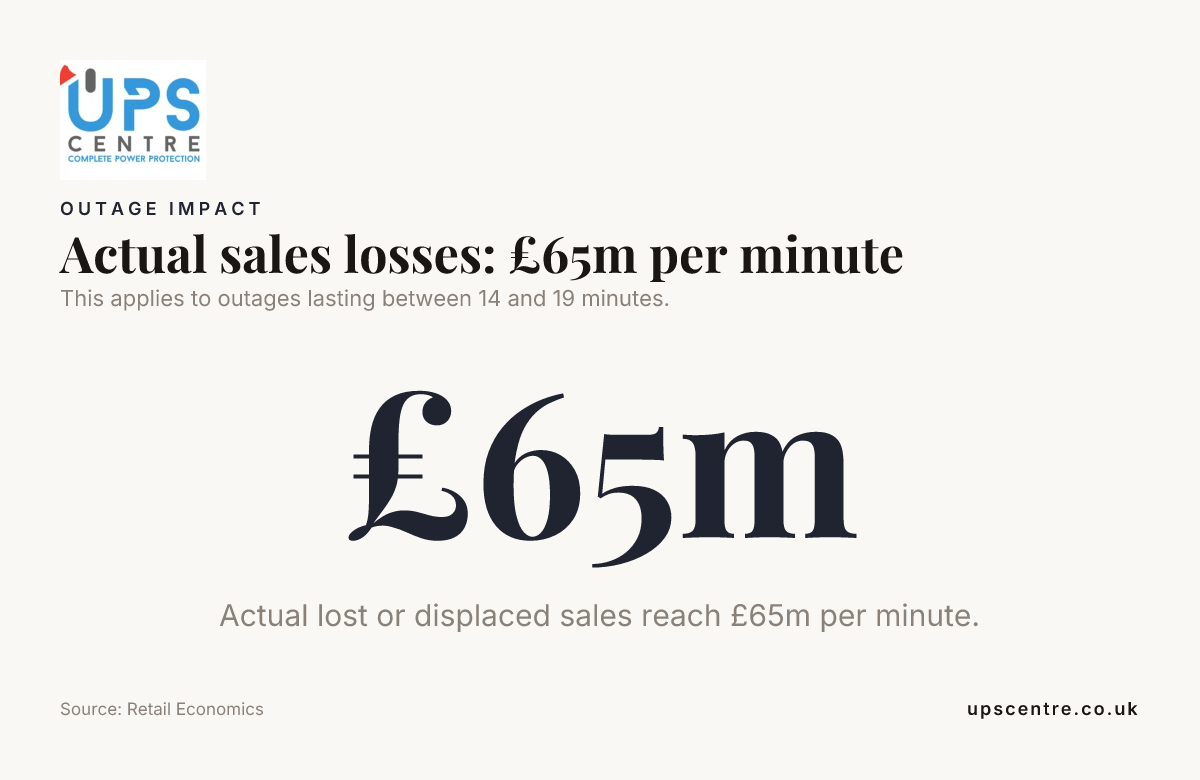 This applies to outages lasting between 14 and 19 minutes. Source: Retail Economics
The disadvantages of EPoS include reliance on working hardware, software, connectivity and payment services. The practical cost depends on which part fails, how many customers are affected and how quickly the shop can restore a controlled checkout process.
Identify whether the failure is power, network or payments
Identify the failed service first: restarting working equipment can waste time and may interrupt systems that are still operating.
| Failure | What may still work | First response |
|---|---|---|
| Mains power cut | Equipment connected to battery backup may continue running temporarily. | Follow the UPS procedure and protect the till and essential network equipment. |
| Internet outage | The till and shop’s local network may remain available. | Use only the tested offline process and report the connection failure. |
| Local network failure | Some devices may have power but be unable to communicate with one another. | Identify whether the router, switch, cabling or a particular device is affected. |
| Payment-provider disruption | The till may continue recording sales while payment authorisation is unavailable. | Use the approved payment fallback, if one applies, and do not treat a pending transaction as confirmed. |
Map which services depend on the till, router, network switch and payment terminal. A working till does not prove that card payments are available, and restoring local power does not restore an internet connection or payment authorisation. Give staff a short decision path: identify the affected service, notify the incident lead or support contact, then use the approved fallback for that failure. This keeps the response consistent and stops staff guessing at the till. 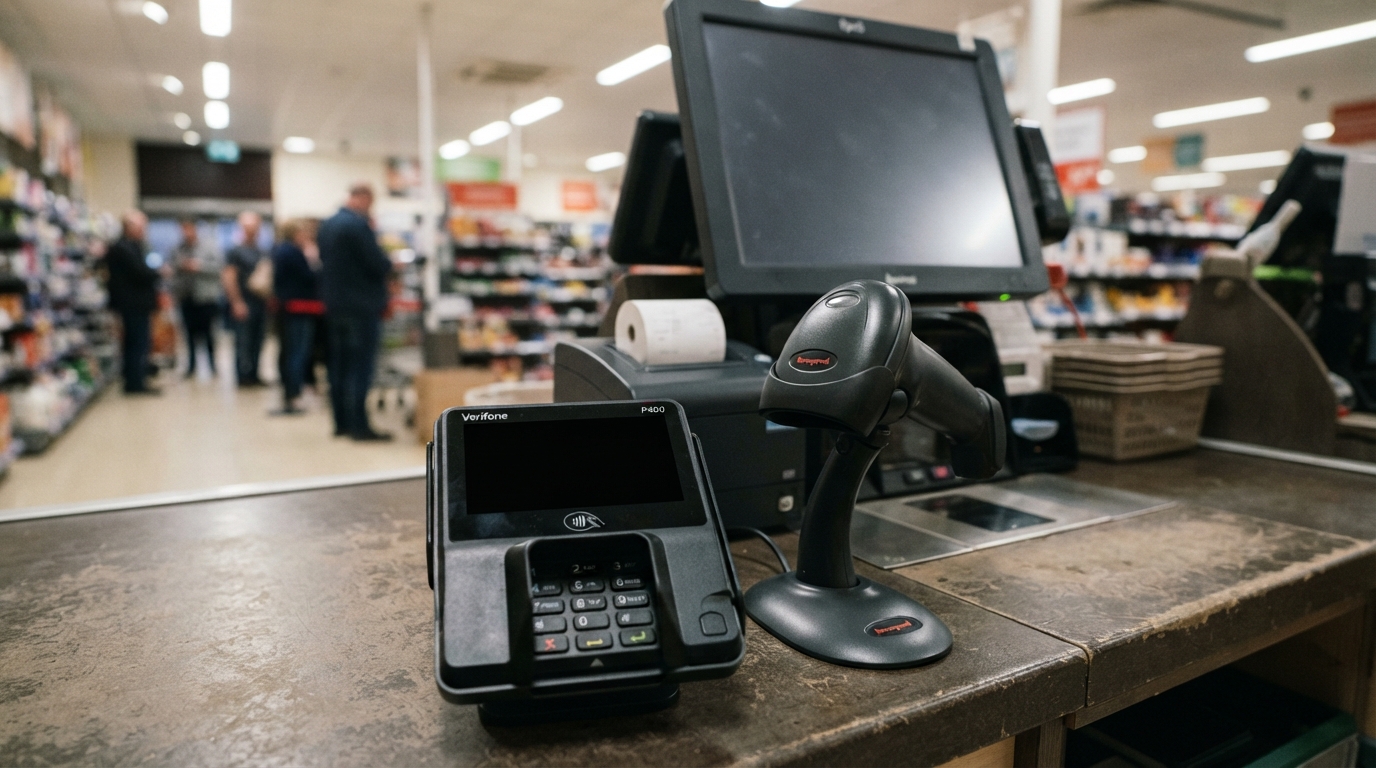
Know what offline mode can and cannot do
Can an EPoS system keep processing sales without the internet? Yes, if its offline mode supports the required functions and the relevant data are available locally; a cloud-based EPoS system does not automatically keep selling when it loses connectivity. Some systems can store sales locally and synchronise them when the connection returns. Test how the system handles queued transactions, stock management and interrupted synchronisation, then check how authorised staff can review the resulting audit logs. Card payment authorisation is a separate process. Offline card acceptance depends on the payment processor’s rules and transaction limits, so it does not guarantee that a transaction will be approved; staff should use only the agreed fallback and explain clearly when payment cannot be confirmed. Retail Economics reports that 40% of businesses offer offline card processing capability during connectivity failures. Test your own process to confirm whether your till or payment terminal supports offline card processing. There is no single best EPoS system in the UK for every retailer. Compare how a system handles local data storage, transaction synchronisation, access control, data encryption, support and recovery, alongside its subscription, setup and hardware costs.
Give staff a secure, usable outage playbook
Name an incident lead and assign clear responsibilities for recording sales, managing queues, contacting support and approving any fallback payment process. Staff should know who makes decisions before checkout becomes busy. Use individual logins, suitable permissions and audit records. Restrict refunds, voids and discounts to authorised users, and never let staff share credentials to get around a login problem. If the approved process involves manual sales records, capture the time, items, quantities, payment status and responsible staff member. Collect only customer information that the process requires, and never write down sensitive card security details. Train staff to explain what the shop can complete and what it cannot. Apply the retailer’s approved transaction limits, and do not tell a customer that a payment succeeded until the system or provider confirms it. 
Use a UPS to cover the power part of the problem
A UPS supplies temporary battery power when mains power fails. It can keep connected checkout equipment running or give staff time to shut it down safely, but it cannot restore an internet connection or a payment-provider service. Choose the equipment that matters most first: usually the till and any essential network equipment needed to keep checkout operating. Compare the combined load in watts with the UPS’s watt capacity as well as its VA rating; runtime varies with the connected load and the battery’s condition. Check that the UPS outlets match the equipment’s power connections. Keep non-essential devices off the battery-backed outlets, because every additional load reduces the time available during an outage. For a compact line-interactive option, the APC Back-UPS Pro BR650MI – Line-Interactive UPS – 650 VA/390W costs £151.60. Compare its stated capacity and connections with those of the checkout equipment you need to keep running. A line-interactive UPS uses automatic voltage regulation to manage some voltage fluctuations without relying on battery power for every variation. That helps protect connected equipment from common sags and spikes while keeping battery backup available for an actual mains interruption.
Restore service, reconcile records and test the plan
When service returns, follow a named reconciliation process before closing the incident. Compare manual records, locally stored sales, stock movements and processor-confirmed payments so that one completed transaction does not become two records or disappear from the books. Check for missing, duplicate or conflicting transactions after synchronisation. A successful sync does not prove that every sale, payment and stock change matches, so resolve exceptions against the transaction record. Test offline operation and recovery before an incident occurs. Include queued data, interrupted synchronisation and access to audit records, and make sure authorised staff can identify unresolved transactions without changing the original record. The APC Back-UPS 850VA 8 X UK Sockets | USB & Replaceable Battery | Brand New Retail Boxed costs £104.16. It is a 520W/850VA battery backup and surge protector with eight outlets, a 2.4 A USB Type-A port, user-replaceable batteries and a three-year limited warranty, making its outlet count and battery upkeep relevant comparison points for a checkout power plan. For battery upkeep, see the available UPS replacement batteries. Include battery condition in routine checks, because backup time depends on a battery that can still hold charge.
Match backup power to the EPoS equipment
Include the till and other essential checkout equipment in your power plan, then compare their total load with the UPS’s stated watt capacity. A UPS cannot support equipment beyond its rated load, even if the VA figure appears to leave spare capacity. The refurbished APC Back-UPS 700VA (405 Watt) UPS is listed at £79.17. It has a stated capacity of 405 watts/700VA, UK outlets and surge protection, and its stated uses include EPOS equipment; it is supplied with new batteries. A UPS is one part of business continuity, not a complete outage plan. Keep separate procedures for mains power loss, internet failure, local network problems and payment-provider disruption, because battery backup addresses the first of those, not the others. 
Frequently asked questions
How often should a UPS battery be tested or replaced?
Run the UPS’s built-in battery self-test monthly if the model supports it, and arrange a controlled runtime check at least once a year. Replace a battery when the self-test fails or it can no longer provide the runtime your checkout plan requires.
Can a UPS protect checkout equipment from a lightning strike?
Surge protection can help with some voltage spikes, but it cannot guarantee protection from a direct lightning strike or a severe nearby surge. A site-wide surge protection strategy and disconnecting sensitive equipment during severe electrical storms provide additional protection.
Does a UPS need to stay connected to mains power when the shop is open?
Yes, keep it connected to mains power and switched on so it can maintain its battery charge and respond to a power failure. Make sure staff know how to recognise its alarms and status indicators.
Can a retailer use a generator alongside a UPS during a longer power cut?
Yes, a generator can provide longer-term power while a UPS bridges the changeover and helps protect connected equipment from interruptions. Use equipment rated for the UPS and generator together, and test the arrangement before relying on it during trading.
Can I plug an extension lead into a UPS?
Use the UPS outlets directly where possible, and follow the manufacturer’s instructions for any permitted extension arrangement. Never daisy-chain extension leads or exceed the UPS’s outlet and watt limits.
Safety Net
Protecting EPoS systems: the real cost of a 10-minute retail blackout means planning for lost and delayed sales, staff workload, payment uncertainty and accurate recovery, not just getting the till switched back on. Separate power failures from network and payment problems, train staff to follow a secure fallback, and reconcile every transaction after service returns. A UPS system acts as your safety net when mains power fails, but it cannot replace a tested offline process or a clear recovery plan. Match backup capacity to the equipment you need, test the full checkout process and keep your business continuity procedures ready before the next interruption.
Need help?
Should you wish to discuss a particular application or requirement
Then please contact us free on 03300271309 or email us at sales@upscentre.co.uk

Tony Whittam
Specialist in digital marketing for more than 18 years, I am the co-founder and CEO of T & T Web Design. Affordable Search Engine Optimisation (SEO), PPC Management and Reputation Management.


